
How Order Distribution Works in Yandex Pro
Yandex Pro distributes orders automatically, and fleet dispatchers have no say. The order goes to the nearest car in the right tariff within a 15-minute arrival limit, and when several cars are close, the one with higher priority gets it.
The Yandex Taxi system automatically distributes orders among drivers. Neither taxi fleet dispatchers nor service employees have any influence on the distribution.
The system searches for a vehicle that matches the tariff and is closest to the pickup point — the arrival time must be no more than 15 minutes. If the passenger has specified additional requirements (child seat, luggage transport), the system takes those into account as well.
Sometimes several suitable vehicles are found nearby. In this case, the order goes to the vehicle with the higher priority — even if it is slightly farther from the customer than the others.
Key factor: proximity to the passenger (15-minute limit). At equal distance — priority determines who gets the order.
Why Orders Are Not Coming — 6 Main Reasons
The 6 most common reasons: failed photo/document checks, service access restrictions, being offline, low balance, GPS/connection issues, and low-demand location.
If orders are not coming in, it does not necessarily mean there is a system problem. The reason could be technical, financial, or geographical. Here are the most common reasons:
1. You Have Not Passed Required Checks (Photo Control, Documents)
If your photo control has expired or documents have not been updated, a notification will appear on the Yandex Pro main screen indicating that orders are unavailable.
Fix: Go to Yandex Pro → Profile (photo in the top right corner) → "Diagnostics". There you will find instructions for each issue.
2. Service Access Is Restricted
If your priority has dropped to 0 due to too many skipped or cancelled orders, access is temporarily blocked. Additionally, your taxi fleet may have restricted access for another reason.
Fix: Check "Notifications" in your profile — the system sends a notification specifying the reason for the restriction.
3. You Are Not Online
The simplest but most common reason. If the yellow button in the top left corner of the Yandex Pro main screen is not lit, the system considers you busy and unable to complete trips.
Fix: Tap the large yellow "Go Online" button at the bottom of the screen.
4. Low Balance in Yandex Pro
Sometimes the taxi fleet restricts access to orders if the driver's balance is below the set minimum.
Fix: Contact your taxi fleet dispatcher, find out the minimum balance requirement, and top up your balance.
5. Connection or GPS Problem
New orders cannot come through if mobile internet is unstable, geolocation is turned off, airplane mode is on, or the app does not have all the required permissions.
- 1Check that mobile internet and GPS are enabled in your phone settings
- 2Restart your phone
- 3If the signal is weak, move to a location with better coverage
- 4Check your phone balance — your carrier may have blocked your internet
- 5Grant Yandex Pro all requested permissions (GPS, notifications, background mode)
- 6Disable battery saver mode — it often limits GPS accuracy
6. You Are in a Low-Demand Zone
Orders may not be coming because simply no one nearby wants to call a taxi. This is common in residential areas at night or outside the city.
Fix: On the Yandex Pro map, look for purple zones — these are high-demand areas. Move there.
Phone Settings Checklist
For Yandex Pro to receive orders, set GPS to High Accuracy, fully enable notifications, allow background activity, turn off battery saver and airplane mode, and keep both the app and the phone's operating system updated.
Many drivers fail to receive orders due to incorrect phone settings. Go through this checklist one by one:
- GPS / Geolocation — must be enabled in "High Accuracy" mode
- Notifications — fully enabled for Yandex Pro
- Battery saver mode — disabled
- Airplane mode — disabled
- Background activity — allowed for Yandex Pro
- App version — updated to the latest version
- Operating system — updated
If GPS frequently loses accuracy, the device itself may be the problem. Older phones often cannot provide precise geolocation.
Priority System — Who Gets the Order First
Yandex Pro shows a priority scale at the bottom of the main screen, and the higher it is, the faster new orders arrive. Priority points come from completing orders, your rating, car branding and long-term use of the service.
Yandex Pro has a priority scale displayed at the bottom of the main screen. The higher a driver's overall priority, the less idle time they have and the faster new orders come in.
Priority points are accumulated in various ways — by completing orders, through ratings, branding, and long-term use of the service.
Priority Points Table (Georgia)
In Georgia, completing orders without skips gives up to +30 Yandex Pro priority points and branding +4. A rating above 4.75, 4.85 or 4.95 adds +1, +2 or +3 after 50 ratings, and 100, 200 or 300 days with trips add +1, +2 or +3.
Here is how you accumulate priority points in Georgia:
To activate rating points, passengers must give you a minimum of 50 ratings. The rating is calculated from the last 150 ratings, with newer ratings carrying more weight.
| Condition | Points | Note |
|---|---|---|
| Order completion (without skips) | max +30 | No lower limit — can go negative |
| Branding (advertising sticker) | +4 | Sticker photo control is mandatory |
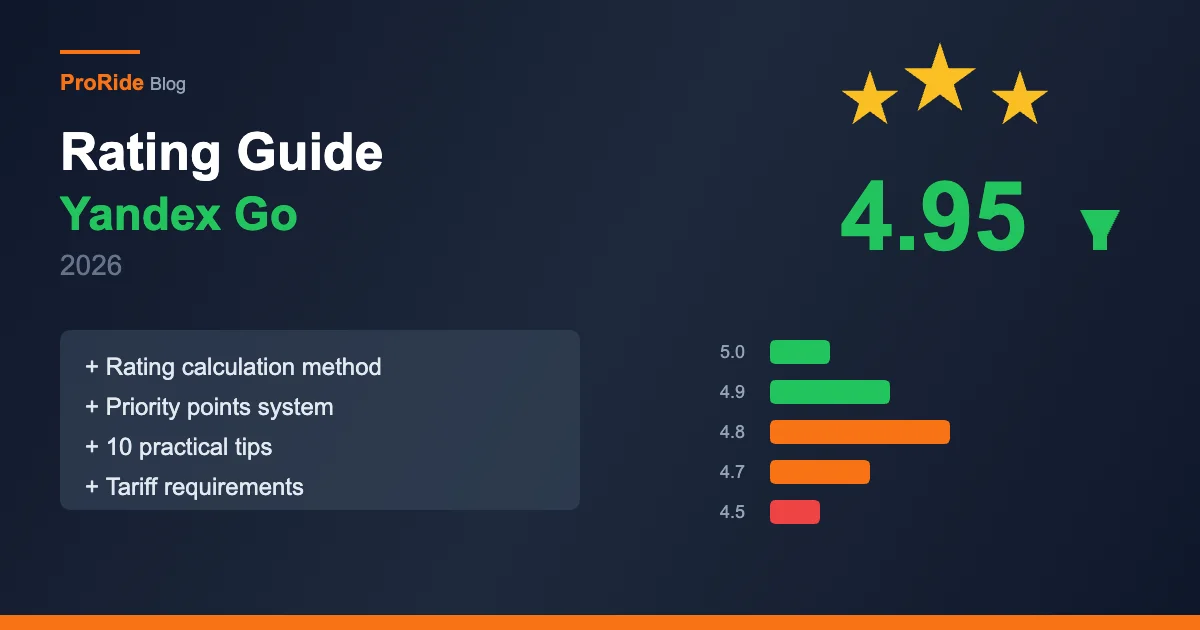
| Rating > 4.75 | +1 | Minimum 50 ratings required for activation |
| Rating > 4.85 | +2 | Minimum 50 ratings required |
| Rating > 4.95 | +3 | Minimum 50 ratings required |
| Professional (100 days with trips) | +1 | Minimum 1 trip per day counts |
| Experienced driver (200 days) | +2 | |
| Expert (300 days) | +3 | |
| New driver bonus | Week 1: +3, Week 2: +2, Week 3: +1 | First 3 weeks after registration |
What Lowers Priority — Skips and Cancellations
Every skipped or cancelled order lowers your Yandex Pro priority, and cancelling an order you already accepted costs more points than skipping an incoming one. If priority drops to 0, orders become temporarily unavailable.
Priority decreases every time you skip or cancel an order. Moreover, cancelling an already accepted order costs the driver more priority points than skipping an incoming order.
With a large number of skips and cancellations, the overall priority will drop to 0, at which point trip orders will become temporarily unavailable.
Remember: cancelling an accepted order costs far more in terms of points than skipping an incoming order. Think twice before cancelling an accepted order.
When Priority Points Are Not Deducted
Yandex Pro does not lower your priority if the passenger kept you waiting over 10 minutes at pickup, the order has an inappropriate comment, or it involves a long-distance pickup or a long trip. Setting your status to Busy also protects it.
Not all skips and cancellations cost you points. These cases do not lower your priority:
- The passenger made you wait at the pickup point for more than 10 minutes — after that, cancellation is penalty-free
- The customer added an inappropriate comment to the order
- The order involves a long-distance pickup — such orders can be skipped in any mode
- The order involves a long trip
If you do not want to or cannot take orders, set your status to "Busy" — new orders will no longer be offered and your priority will not decrease.
Correct Order Cancellation Procedure
If the passenger does not show up, stop within 300 meters of the pickup point, wait 10 minutes, cancel the order in the app and only then drive away. Done in that order, the cancellation does not lower your Yandex Pro priority.
If the passenger did not show up, follow these steps for a proper cancellation — in this case, your priority will not decrease:
- 1Stop no more than 300 meters from the pickup point
- 2Wait for the passenger for 10 minutes
- 3If the passenger did not come out, cancel the order through the app
- 4After cancelling, drive away from the spot — not the other way around!
Cancel first, then drive away! If you stop more than 300 meters from the pickup point or do not wait 10 minutes, your priority will decrease.
Access Restriction Durations
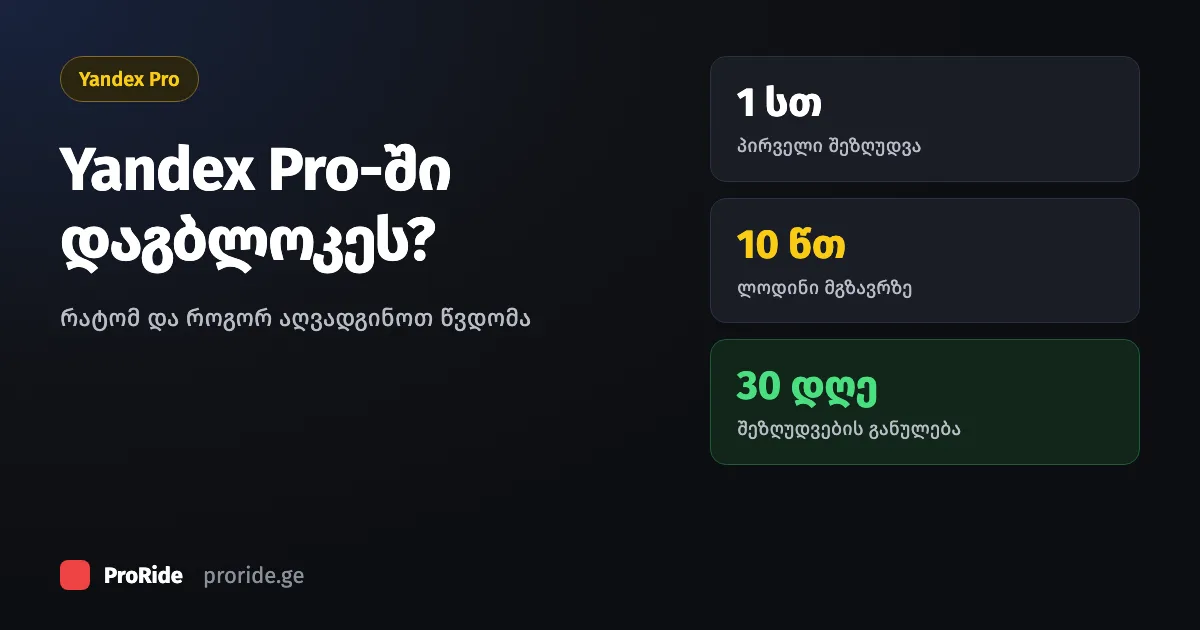
When Yandex Pro priority drops to 0, orders are restricted for 1 hour the first time, 2 hours the second, 4 hours the third and 6 hours from the fourth on. After 30 days without a restriction, the next one is back to 1 hour.
When priority drops to 0, access to orders is temporarily restricted. The duration increases with each subsequent restriction:
If your access is not restricted for 30 days, the next restriction will again last only 1 hour — meaning the monthly counter resets.
| Restriction Number | Duration |
|---|---|
| First | 1 hour |
| Second | 2 hours |
| Third | 4 hours |
| Fourth and beyond | 6 hours |
Surge Zones — Purple Zones on the Map
Purple zones on the Yandex Pro map mark areas where more people want a taxi than there are free drivers, often due to bad weather, peak hours or big events. A fixed amount is added to the fare there, for example +2 lari.
Trip prices increase when there are more people wanting to call a taxi in certain city areas than there are available drivers. Surge zones are marked in purple on the Yandex Pro map.
Increased demand is most often caused by bad weather, peak hours, or large events. A fixed amount is added to the order price — for example, "+ 2 ₾" means the price is increased by 2 lari.
If orders are not coming in, look for purple zones on the map and move there — these are high-demand areas where orders will come faster.
10 Practical Tips to Get More Orders
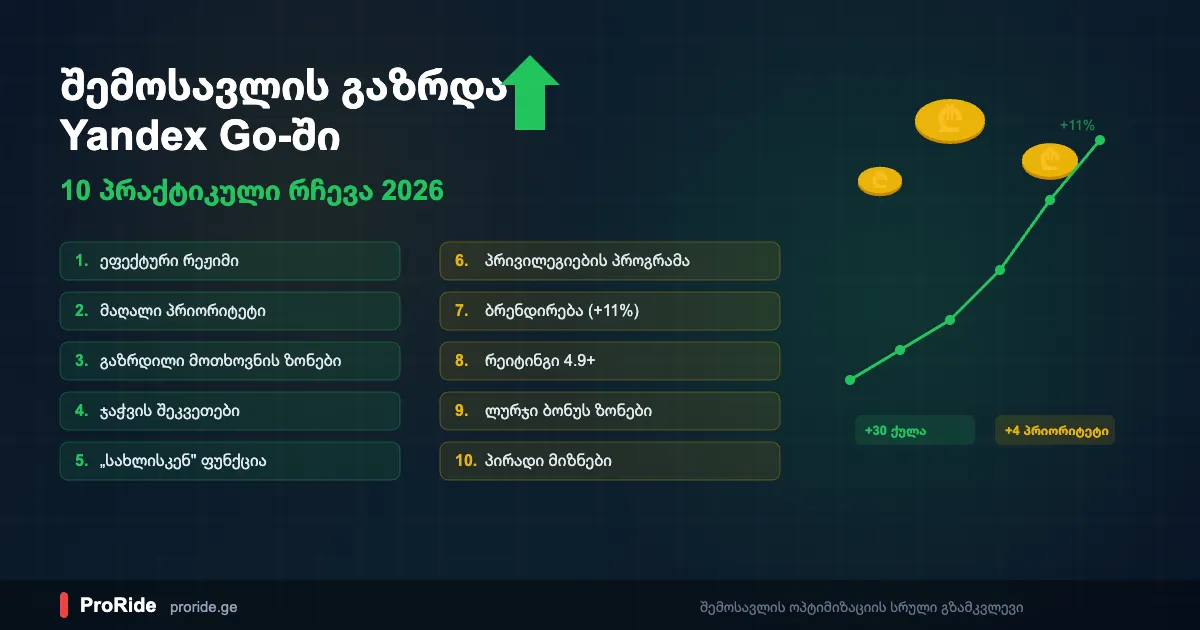
To get more Yandex Pro orders, work in purple zones and at peak hours (8-10 AM and 5-8 PM), avoid skipping or cancelling, keep a 4.95+ rating for +3 priority points, consider branding for +4, and check your phone settings.
These tips are from experienced drivers and based on the official Yandex Pro knowledge base. Also check out our Tips to earn more for additional strategies.
- 1Stay in purple zones — orders come quickly in high-demand areas and the tariff is higher
- 2Do not skip orders in a row — each skip lowers your priority; if you do not want to work, enable the "Busy" status
- 3Maintain a high rating — a 4.95+ rating gives +3 priority points
- 4Consider branding — with a sticker you get +4 priority points
- 5Use the "Homeward" feature — you can choose a direction for your order 2 times per day
- 6Choose a payment type — once per day you can select cash or card payment
- 7Go through the phone checklist — GPS, notifications, battery saver, background mode
- 8Work during peak hours — demand is highest from 8 to 10 AM and 5 to 8 PM
- 9Do not cancel accepted orders — cancellation costs far more points than skipping
- 10Cancel properly if the passenger does not show up — 300 m limit, 10-minute wait, cancel, then drive away
Airport Orders — A Separate System
Priority does not affect who gets orders from the airport electronic queue in Yandex Pro. The airport queue is a separate system that works on a standard first-come, first-served basis.
It is important to know: priority does not affect order distribution in the airport electronic queue. The airport queue is a separate system that operates on a standard first-come, first-served basis.